I’m releasing a plugin for the Chromatik lighting platform that allows discovery and basic control of Pixelblaze devices on the local network. It uses the WebSocket API and includes the following features:
Auto-discovery of Pixelblazes on the local network
Connection to one Pixelblaze at a time
Pattern selection
Sequencer controls and playlist inclusion
User controls (sliders, color pickers, etc.)
Information pop-up (version, memory usage, etc.)
Bidirectional color sync with Chromatik’s global palette
Special thanks to @zranger1 for extensive mapping of the API and examples in his pixelblaze-client repo.
@belcher - this is very cool! It’ll enable people to easily set up and coordinate multi-pixelblaze projects, as well as letting wearables play along with a larger display.
One thing that might be fun to add: It’s possible to send Pixelblaze sensor board packets over the network, even if nobody has an actual PB sensor board. So you can use Chromatik’s audio fft, level and other information to drive music reactivity on Pixelblazes.
Here’s a java protoype I was building back before I got involved in my current, “Hey, let’s use AI to do music feature extraction!”, project. The basics are working, but the UI is incomplete and clunky at best. The packet format and PB-compatible FFT band management is all in there though.
@zranger1 Good idea! Implemented here: d087789 Thanks for paving the road to that one!
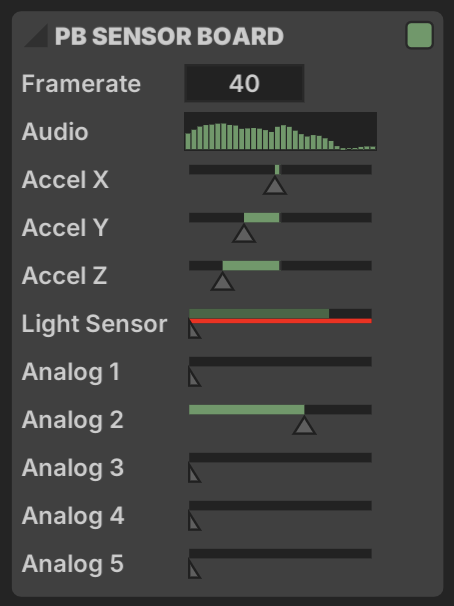
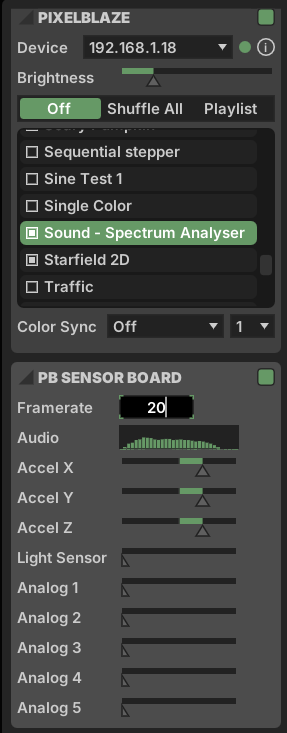
The sensor board has a separate UI section, so it clearly can be used independently of the main section. Could be useful if you want to imitate a sensor board without risking an auto-connect to the first PB found on the network. The FFT uses the global audio adjustments (gain/release/etc) but does an independent value calc to match the frequency bands of the sensor board. It has a frame rate limiter (1-40) and an inline preview of the FFT.
I added UI parameters for the other sensor inputs accel/light/analog. These are mappable in Chromatik so you can route any parameter you want to a PB sensor channel.
If you have time do you mind taking this for a test run? I don’t have a great way to see if these packets are reaching the Pixelblaze correctly. Snapshot jar here.
Just tested. UI looks great, and pattern switching on PB is super responsive!
Not seeing any audio data on the PB or UDP packets going from Chromatik → Pixelblaze though. Checked w/spectrum analyzer pattern and w/wireshark. (I’m running the latest released Chomatik - 1.2.1. The plugin says it wants 1.2.2. Would that make a difference for this?)
Edit: Looks like the broadcast packets are going out. The PB just isn’t picking them up. Will look at contents more closely tonight!