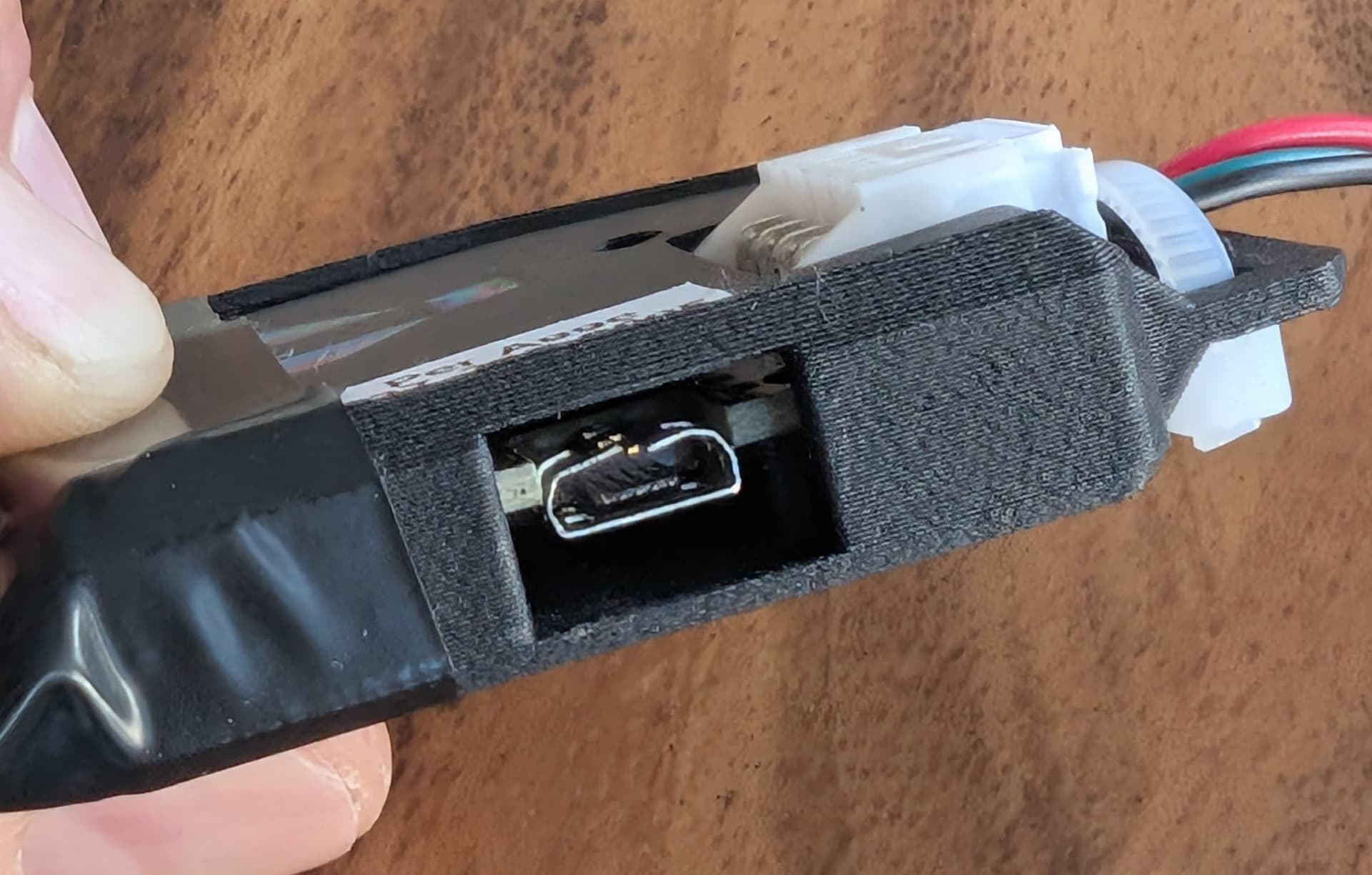
I use the standard PB with the official plastic case for some of my wearable projects. I have the PB in my pocket and need to access it fairly often to change pattern, which has led to the micro USB cable falling out and the port getting deformed with lots of wear and tear after many re-inserts and pressure on the cable. I can bend it back in shape with a plier but it’s not a long-term solution.
The issue stems from the fact that the micro USB cable is pointing 90 degrees from the LED outputs, which makes it very inconvenent from a portability factor.
How can I improve/secure the durability of the power USB cable/connection?
Finally, are there any plans on improving the USB port location/direction on the board?
Thanks!
Edit: I do have a couple of PB Pico’s which doesn’t have this issue, but there are reasons why the Pico’s aren’t always the best option (for some people); Needing decent soldering skills, device getting incredibly hot, no available case for protection etc.
If I may, I would not use any USB port for anything wearable. It will get bent or break sooner or later. What I would do is take a USB cable, keep the USB-A side, cut off the other side and directly solder the ground and VCC wires onto the pixel output
If you are fancy, it’s a lipo 3S connector, they make doublers, so you could sodler your own 4 pin male with power and plug it into the dual female plug (after you use the doubler), or you can simply melt off a bit of each of the wires on your cable currently plugged in and solder your USB cable wires onto that. No need to solder on the board itself.
Yeah, those don’t hold up to tons of physical stress. Here’s some ideas.
You can cut a USB cable and hard wire it up to screw terminals. Red + 5V, black = GND. Ignore white and green. May not work with USB C, YMMV, but pretty universal with a USB A plug on the end.
Yes, you can gently reform the USB connector housing. As long as the middle contact area is OK.
A right angle cable will help immensely. Add spacer between the cable and the case, where you have electrical tape now. Then you can ziptie the cable around the case. Just not around the connector itself.
I have a Fusion design for a robustified case that has a shelf and ziptie slots for a right angle USB. Happy to share that if you have access to a printer. It has some extra bits that you may not need, but could probably edit those out,
With a 3D printer pen, you could also “draw” a shelf or molded strain relief on out from the case + cable. I use these a lot for makeshift quick and “ugly” projects.
@wizard I do have a 3d printer so would love that case file. Also, if you have any 3d files for PB Pico case, that would be incredibly helpfull too. I’ve scoured the web without success, and also modified a Raspberry Pico case to better fit the PB Pico but it’s not a great fit and button isn’t pressable.
Re soldering on the output terminal, I have the "Pre-soldered” PB versions so don’t know how easy that would be.