Pixelcount offset problem with 2 devices in lead/follow + 0.5sec delay

first device is pixelblaze pro, 2nd one is pixelblaze pico, both running latest v3.66
I didn’t find any docs on how the lead follow works, so I just used the first to take the 2nd as follower.

I realize the hardware is different, but both are still ESP32 running at the fasted 240Mhz speed in settings.

Both have 1800 pixels (30x60) and are on nodeid 0.

I left my first mapper at

function (pixelCount) {
  width = 60
  var map = []
  for (i = 0; i < pixelCount; i++) {
    y = i / width
    x = i % width
    map.push([y, x])
  }
  return map
}

Without docs, I guessed that I had to offset coordinates on the 2nd one like this: map.push([y+30, x]) (only line I changed).
the results are bad in 2 ways, though:

  1. the eyes coordinates are wrong and offset half way on both devices

  2. there is an unbearable 0.5sec delay between the 2 devices, so the eyes open/close at different times, ruining the entire effect.
    Both are on the same wifi, one IP address off from one another.

Any ideas what I’m doing wrong?

Display is cut in half, 30+30, and looks like this with 2 devices
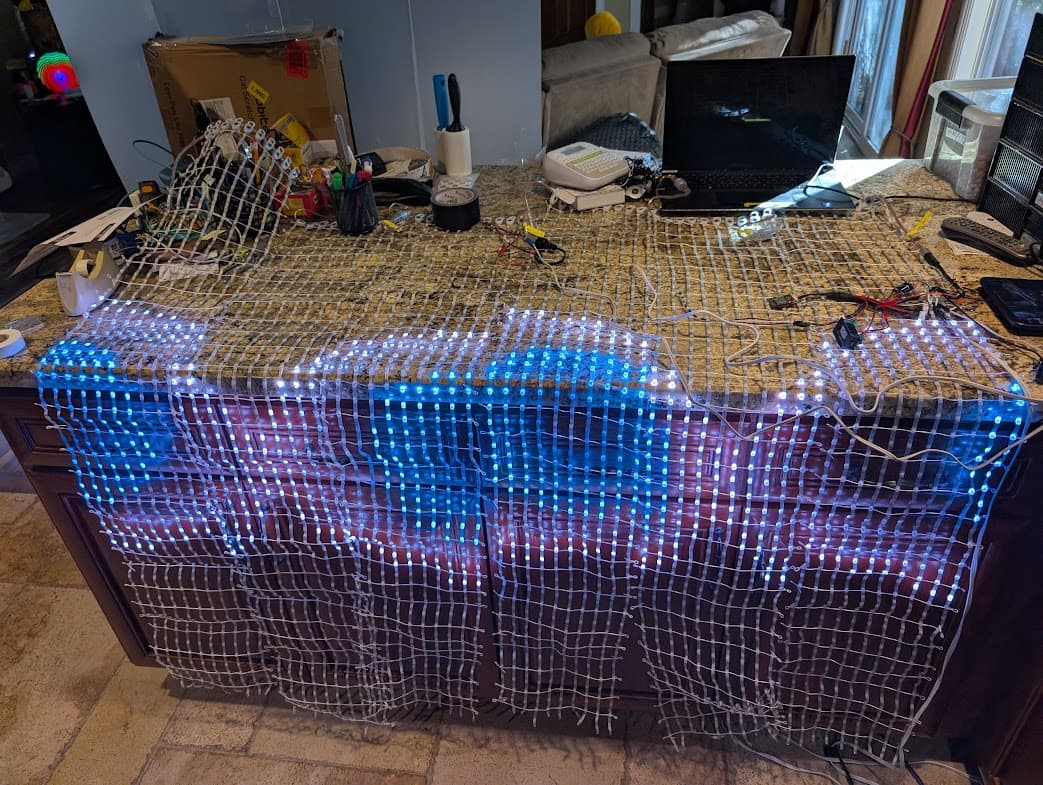
When I plug everything back as a single chain of 3600 on a single device, then it goes back to working
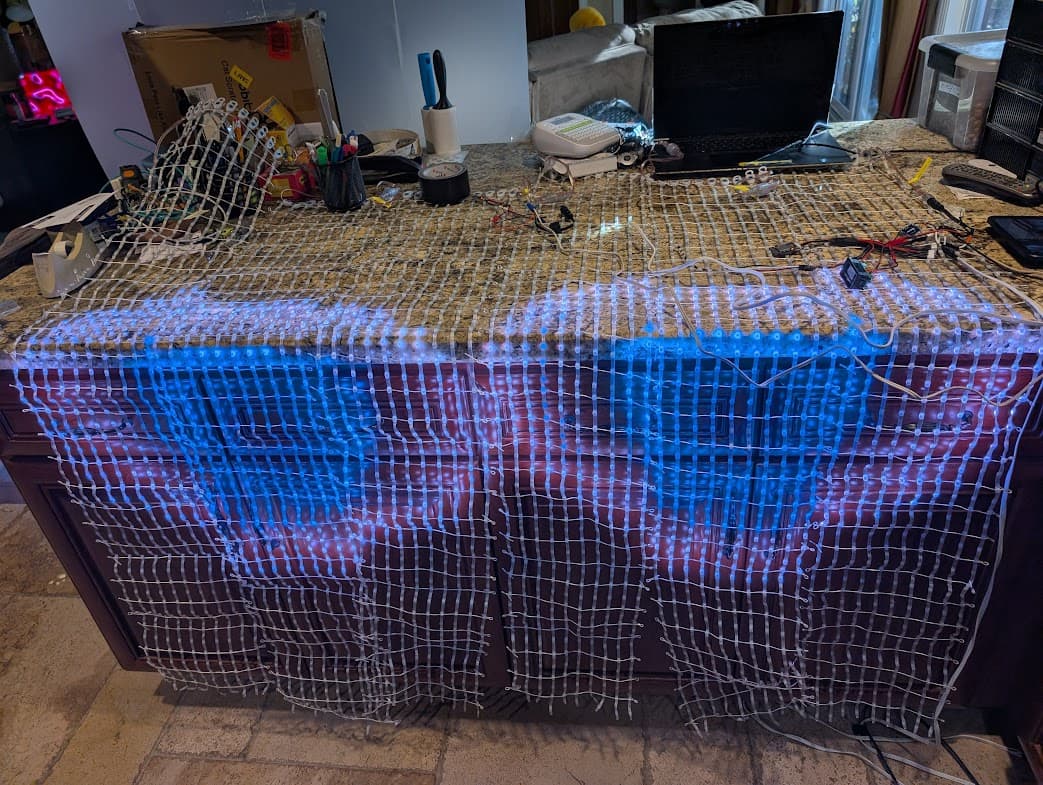
I tried another pattern and it’s the same problem, both patterns think the display is 30 pixels wide instead of 60 pixels wide and mis-render as a result. Basically they are not aware of the 2nd device, and somehow the same display gets output a 2nd time with a 0.5s delay on the 2nd device
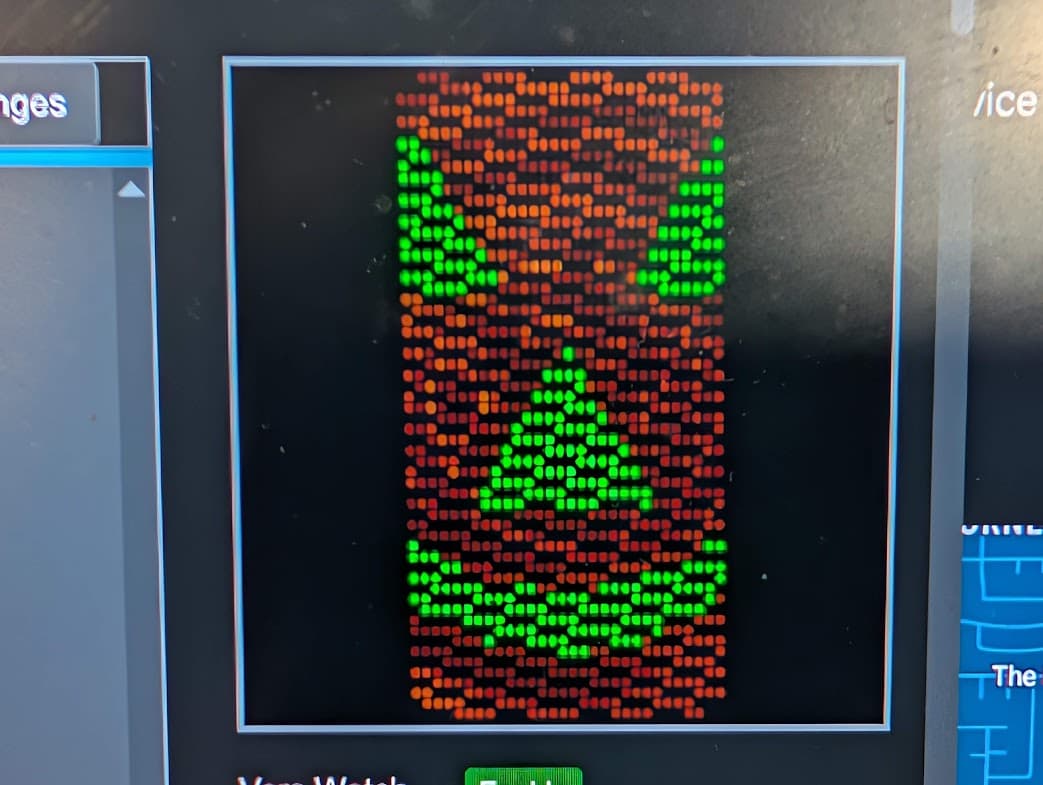
This shows the time offset problem, but now that I see that the frame buffer on the master is not the entire display, I don’t even know what’s being sent to the second device

@wizard , if I may, Significant feature release: Sync multiple Pixelblazes if it is still the up to date doc (it may not as it’s now 2.5 years old), please please link it in the official docs on the website. It is not findable, and it’s only after losing many hours with google and gemini that gemini found me this link I was unable to find.

Next, it’s really not helping me with my mapper question. It says “As for mapping, there are two approaches we’ve been playing with. The simpler of the two is to add “phantom pixels” that will compress the respective maps into where you’d like them relative to each other. For example:”
but I don’t get it. Why a few phantom pixels and how do they work, when I’d expect writing a mapper on each device, with a simple x or y offset?
the rest is about nodeid which is not relevant to my use case.

Ok, this phantom pixel thing is total black magic to me, I just banged numbers in it without knowing how they work or why until I got

function (pixelCount) {
  width = 60
  var map = []
  for (i = 0; i < pixelCount; i++) {
    y = i / width
    x = i % width
    map.push([y, x])
  }
  map.push([0, 60], [-30, 30])
  return map
}

for the 2nd display I have: map.push([0, 0], [60, 30])

with both 30x60 displays being side by side. Why or how this works, I have no idea at all.
Now ther is sitll the problem that both displays are out of sync, one gives 5.71fps and the other 4.96fps, so the combined display is broken non usable (this was with a PB pro and a PB pico).
Below, I spent time to wire and solder a 2nd PB pico so that both would be identical, and they still failed to sync

Very vexing , I used two identical picos and still out of sync

Are you using time()as the basis for the animation? Other methods, like accumulating deltasince pattern launch or doing one tick per render cycle are almost certain to start with (or grow to) a divergent animation timebase.

the animations are not mine, there are many 2D ones I downloaded, and I kind of just expected them to work without having to understand and reprogram them all :-/

To be honest if the combined display doesn’t just work as a if it were an output expander, that solution isn’t really workable.

At least I appreciate your answer which seems to confirm that it’s not expected to just work and magically sync things if it were a single framebuffer which was my hope after @wizard encouraged me to split my display across multiple chips.
To put things in context, my hope was to just use PB to get some pre-made 2D displays and not spend days on making it work by doing it myself with arduino and C++, but now I see that it’s probably the way I need to go afterall unless there is a simple easy global fix to this sync issue.

I had a look at the pumpkin code Pixelblaze Patterns
from @zranger1 and indeed it does
timebase = (timebase + delta/1000) % 3600;
so you say it will drift on different chips.

@wizard just posted eye of sauron Pixelblaze Patterns . It also uses delta and also gets out of sync

@zranger1 also posted Dire Spider 2 Pixelblaze Patterns

  timebase = (timebase + delta / 1000) % 3600;
  crawlSpeed = (timebase / 9 % 1)

So basically it seems that all patterns are programmed in a way that they will get out of sync, and master/slave does not seems to gkeep timebase in sync, so it looks like a bit doomed.

Did I understand things correctly?

Yeah, exactly. Your frustration that it doesn’t just work is actually very similar to when OSs/CPUs got threads, processes, or multiple cores. Software engineers had to change their code and learn new paradigms like concurrency models, mutexes, semaphores, and async patterns to take advantage of the additional compute. Luckily for us it’s just: “if you write code like a shader and use time(), every Pixelblaze will handle its own stuff fairly magically.”

Because think about it: if you write a single piece of code that runs on two synchronized processors and that code effectively says “after you’ve calculated all the pixels for the last frame, measure the time it took, and now make the LEDs a color that corresponds to the last digit of the interval measured.” So, I’d wonder: what’s the intent? It’s ambiguous. Do I want the pixelblaze that was configured to be responsible for 100 pixels to wait for the one that calculated 1000 pixels and then for them to somehow compare answers so they display the same color? (Apparently so, after all, they’re in “sync mode”.) And even if so, did I want to display the faster result or the slower result?

Certainly it’s not going to somehow subdivide a framebuffer evenly across all the PBs, simply because you’d have to synchronize maps and transmit a lot of pixel data wirelessly. The ESP wireless stack just isn’t good at doing that.

So that’s why I commonly need to adapt a pattern to run in sync mode, because I need to consider the ambiguities that didn’t exist on a single Pixelblaze before.

Thread.yield();

Your explanation makes total sense. I think I got false hopes when I was told my fps problems would go away by going multi device with net synchro. To be honest, I did have some expectation that the code would have each device say when their frame was rendered and then they’d be able to release the frame at the same time to stay in sync.
Realistically it’s already so slow that I’m getting 5-6fps with 2 devices, so waiting a few hundred ms while one waits for the other to finish its render and swap frames at the same time, would not be noticeable.

but more generally, a lot of frustration came from the lack of documentation and expectations on how this is even supposed to work or what it can solve and not solve.
If someone gives me access to the main doc platform, I’m happy to write a basic page on this with what I found out as a “better than nothing” until someone writes a more complete page.

1 Like

Yeah, that’s where I’ve most agreed with your frustration. The main docs do not explain sync mode right now and you’re justified in calling for that.

Your brain is currently in the best state to write them: you have the mental empathy map of recently going from a place of not knowing to understanding. If you want to draft something in a GDoc, I’ll give it an edit to convert to the same voice as the rest of the docs, then convert it into a PR for the docs site!

1 Like

I’m fine doing a draft but I would love for @wizard to confirm that basically there should be no expectation of devices being in sync, that default patterns will not be in sync unless special programming steps are taken in each pattern, and I also need some clear explanation on that magic pixel push I had to do to map coordinates between the 2 devices as I really don’t understand it and I just threw numbers at it until things were in the right place but have no understanding why those numbers are correct if they happen to work by random luck.

So, I’m getting mixed info that time sync is supposed to work between devices and it did not for me after hours of trying.
Also, I did not find a proper source of documentation, even in a thread on how one is supposed to configure each device to set where they belong in the bigger framebuffer, just a screenshot with no explanation that didn’t make it clear to me
Without those two, I can’t write anything doc-worthy.
Short of that, I did the next best thing which was to document what I did try, experience, and managed to get working in the end: https://ledtranceguy.org/perso/electronics/post_2025-10-10_3600-More-LEDs-with-Pixelblaze\_-60x60-Matrix.html

So probably 2 things going on.
With a leader/follower anything based on time() will be within a few ms of each other as far as animation timebases go, but low frame rates can also give some additional latency.

Some patterns use other methods for animation. A few like bouncing balls randomize start locations and won’t work without modification. Each follower would have their own randomized set of coordinates, and the ball simulation would never be in sync.

Some use accumulated delta for things. Some of these might work well enough, but may not be perfect and would possibly drift over time if left to run for a long time. The trick to getting these to look decent is getting them to start at the same time. Clicking around in the interface loads things as fast as possible, but has no warning, so patterns often start at varyingly different times as things load. Any pattern switch driven by the sequencer system (shuffle, playlists) will have enough warning that they preload patterns before a transition, and can start at very nearly the same instant. Again low FPS can put a monkey wrench into that.

The next iteration of sync will support being able to sync additional data from leader to followers, which could include things like a timebase, ball positions, etc., so that followers can be synced on more than purely time based animations. I hope to make that as easy to use as possible, and easy to upgrade these nice patterns, but distributed computing is trickier than a cave full of dragons.

Thanks. Honestly, I got nothing to really work in sync, including your own eye of sauron you posted recently.
It’s easy to reproduce without hardware, take 2 PB, sync them, look at the edit pattern screen on one, and the sync screen on the other one, and they’ll be out of sync. By that I mean 30x60 matrix for each for a 60x60 total
I don’t know if the sync feature was ever meant to be used to break a 2D array in 2, 3, or 6, but I can confirm that even 2 simply does not sync in a useful fashion to make a usable 2D display for most demos.
In some way it would be good to improve since it would sell more PBs :slight_smile: but in the meantime I went back to one single device as the only way to make it work and I’ll probably revert back to my own C++ code with 16 way parallel output at 100fps+ as soon as I have a bit of time to work on that.

What WiFi setup are you using? AP or Client? I’ve been able to use leader follower setups of 6 PBs very reliably. Using multiple PBs have addressed my initial issues of low fps on larger setups. I’m curious if there is any network overhead issues that could be causing slowdowns.

I concur that using delta instead of time() is an issue especially when you have a PB that has even a slightly different FPS due to LED type or count. Those differences in delta add up and while the patterns may look great for a while the errors add up after a while. If your use of the pattern is short you can still get away with using delta.

As for mapping over multiple PBs I found this forum entry to be incredibly useful: Splitting pixel strips and displaying different patterns - #15 by Vortexfractal

2 Likes

Um, Yes Please! Any idea when this will release?
I am building a lot of multi-pixelblaze projects to increase framerate and having the ability to sync all the random(), time() and deltas would help me get a cohesive pattern generation across split maps. Thanks in advance!

I was trying to think of a way to do this myself. I thought the sliders were bidirectional, meaning I could set a variable and it would update the slider value, then the followers would get the normal slider updates. Obviously that didn’t work. Let me know when the new var sync drops!

1 Like

Is there a reasonable chance this will be fixed, or should I go back to my FastLED::Neomattrix code which can do 16-80 channels on one chip without synchro issues? (yes , it means all my code will change back to C++, so I’m making sure this won’t work before I switch back.

Thanks

I don’t know why yours wasn’t working when it works for most everyone else (with the exception of a few patterns not using time()). Not saying it’s perfect or bug free but I do try to fix things when I can reproduce them and find a cause.

By the time I was available to help it sounded like you didn’t have the time to continue troubleshooting and went back to a solo PB.

I suspect it’s a combination of pixel map issues, too low FPS to avoid animation tearing and patterns that don’t use time(). We can fix the first, more PBs can help with the second, and the third means changing how a pattern works and will take more work. For those I suggest a topic per pattern for help porting to time() based animation so the community can help.

If you want to keep exploring sync groups I’m happy to help.