I am new to Pixelblaze and would like to know what I need to buy to start. I see there
Here is my project:
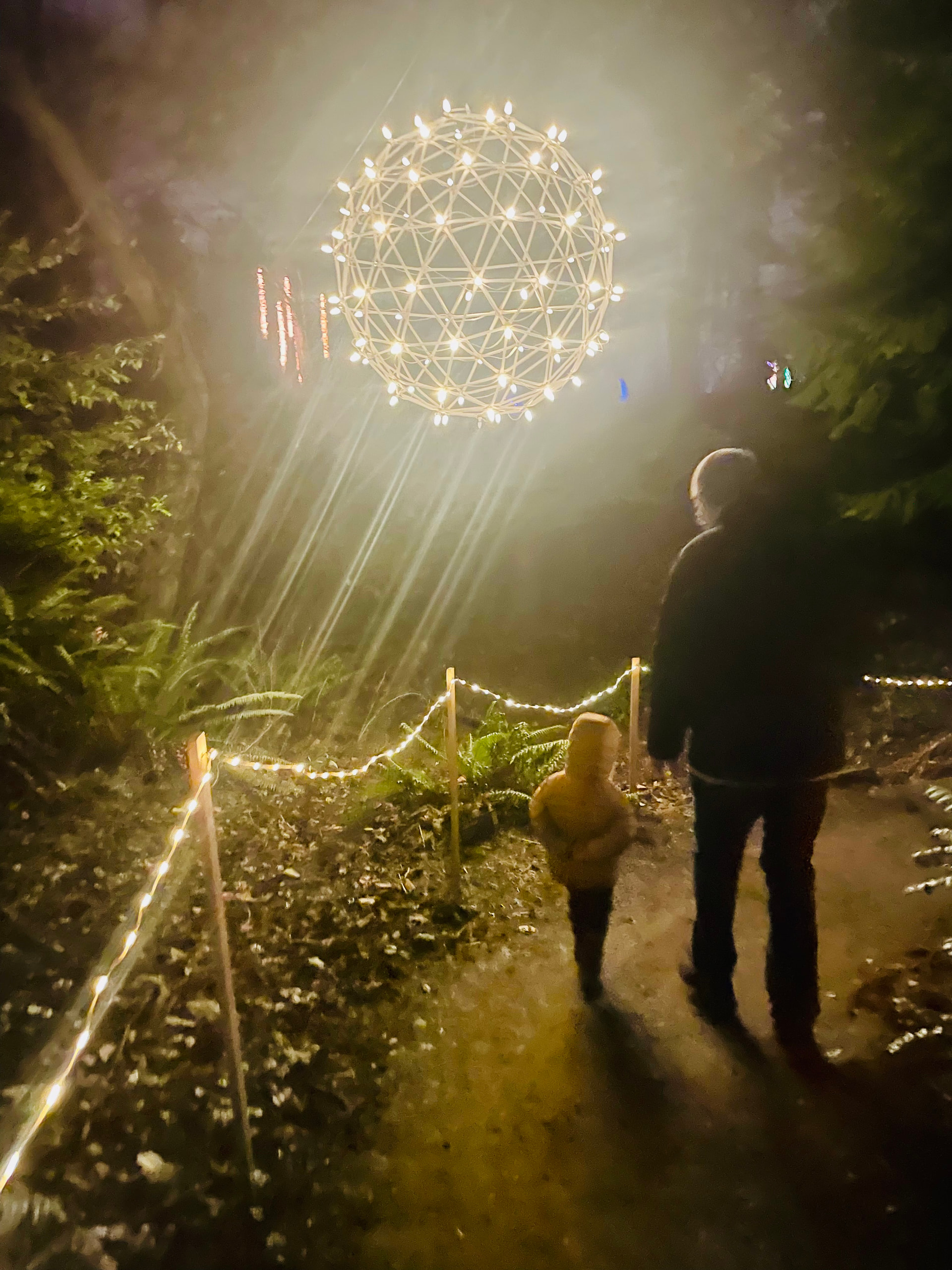
I have now an 8-ft diameter sphere with 92 vertices with traditional C9 holiday dumb lights at each vertex. Picture here has been uploaded. I also have a Raspberry PI and Windows 10 laptop. I am handy with wiring and know Ohm’s law.
I would like to convert this to a programmable set of lights– I can index them, giving each vertex a meaningful number for my programmer to control. Ideally I would have larger lights like C9, not mini lights. I am less interested in animation than I am in changing color and brightness via code. e.g. “change all bulbs to orange”, “change a list of bulbs to blink white”, etc. I have a very advanced programmer at my disposal– if he gets uncooperative I remind him I taught him to tie his shoes and use the toilet!
I see there are excellent tutorials here, but to learn I would like all hardware and software in place.
What do I buy?
1 Like
That looks great! I would get a few Pixelblazes and an expansion board. The Pro Expanders are very very handy. The 3d printed cases add protection and a nice way to mount them. The led matrixes can be helpful with mapping, the Mini Bucks are small and compact making it easier to power the PB’s(Pixelblazes) and the wiring adapters make it that much simpler. Whatever you end up grabbing, you’ll find a way to use it!
Thanks for the reply on what hardware I need to get started for my 92-bulb projec6t. WHy do you day “a few” Pixelblazes when I only need to control 92 bulbs (indesced)?
A single Pixelblaze will do fine for this job. It’s just nice to have a couple around, because there’s always something else to light up!
At a minimum along with the Pixelblaze, you’ll need addressable LED strings and power supply of appropriate voltage and amperage to power them. If you’re using 5v LEDs, you can use the power supply to power the Pixelblaze directly. If you’re using 12v or 24v LEDs, you’ll need a buck converter to step down the supply voltage to power the Pixelblaze.
If you want to stick with the “holiday” style lights, you could get LEDs of this sort.
They’re 12v, waterproof, and since it’s a single strand, the wiring is simple, although arranging them on your sphere may not be. (If you’re not familiar w/addressable LEDs, there’s a data wire that must be run continuously from the controller output to all the LEDs.)
This is where the output expander comes in. With 3D sculptural objects, it’s often a lot easier to wire your LEDs in a “star” topology - short strands connected to multiple outputs, rather than one long strand connected to a single output. The output expander gives you 8 outputs, which might make your wiring a lot more convenient.
So, the list of essentials goes like this:
- Pixelblaze
- Addressable LEDs
- Power supply w/voltage matching the LEDs
- Buck converter if you need 5v for the Pixelblaze from your power supply
- Output expander if you decide it’ll help with the wiring
- Extra wire, 2 conductor for just power, or 3 conductor if you need to mount the Pixelblaze away from the lights. Use big wire - not that 20ga stuff. You’ll see less voltage drop, and it’s physically stronger.
2 Likes
Thanks for the “starter kit” list. That’s very helpfulI
Before I dive in with a purchase, I have a couple more questions:
Because I will sometimes be using white lights I am interested in benefits and problems with going with RGBW string. What issues might I face with RGBW for this 92 bulb string? Will sample code I get from this forum work almost identically whether I am going RGB or RGBW?
Because I am accustomed to dealing with the long string of lights for this sphere, I am inclined to go with indexed light “locations”. I can point to a bulb on the sphere now and give it a meaningful (to me) index number. Any severe issues with index?
BTW, I haven’t mentioned that my lighted sphere gets built and disassembled once per year. I’ve been doing that with dumb C9 light bulb strings for 20 years.
One of the best things about the Pixelblaze is that the pattern code generally works regardless of what kind of LED you run it on. And you can actually get reasonable whites out of RGB addressable LEDs. RGBW LEDs just makes it easier to pick a specific white color temperature. They also use less power while running all white if that’s a consideration.
On Pixelblaze, if you hook up a string of n LEDs, the first (nearest the controller) LED on the string has index 0, and the last LED has index n-1. You can also choose to provide a 1D, 2D or 3D coordinate map which makes it really easy and fun to write patterns specifically for your displays. ( But you always get index for free, and can use it as you like in code.
Based on your answers and stuff I see on the forums I need a PC or laptop to CREATE patterns and run a browser, right? Do I always need a PC involved after I have built and coded everything? My display will be outdoors.
Once you’ve got it set up, you don’t need a computer. The Pixelblaze will run your lights all by itself. If your installation is not in range of your “normal” Wi-Fi network, you can set Pixelblaze up to act as a Wi-FI access point so you can control it from your phone if you need to change anything.
(I’m sure you’re already planning this, but since you’re outdoors, be sure to put the Pixelblaze and power supply in weatherproof enclosures, and make sure your wiring connections are protected from dust and water too. I use RTV silicone if I’m not absolutely certain my connectors are weatherproof. )
Tanks,
I think I am ready to spend some money.
For C9 bulbs, I can recommend those sold by Holidaycoro in the US. Their C9 bulbs seem very robust with the internal PCB and components encapsulated in a hard epoxy or some kind, with the casing also allowing draining in the event of any moisture or condensation. Mine have done well for several Christmas seasons here in the UK and we have pretty wet and cold winters. They’re not cheap, but the quality seems very good and you’d only need two strings of 50.
( I have no connection with the company, other than as a customer who’s bought around 1000 C9s and other bits and pieces from them over the past few years. )
Also, did you create the sphere yourself? That’s very cool!
Indeed, I did create the 8-foot geodesic sphere. I re-build it every year. It fits in 3 plastic crates. Thanks for the kind words.
Where can I get C9-type pucks to build my own string with 20” spacing? Holidaycoro and others don’t seem to have custom spacing.
I’m not sure about the 20” spacing - most sellers seem to offer a maximum of around 12 inches. Some of the sellers on AliExpress may offer custom spacing, but I have no idea about the minimum quantity they would need be ordered for that to be viable, and more importantly I would have low confidence that they would do well outside in adverse weather. Rain and internal condensation are a big concern for me in the UK. I asked Holidacoro about this, and they sent me a photo of their current internal resin encapsulation. I also sacrificed one of my bulbs to science, which confirmed this. If I was doing this and needed 20” spacing, for 92 bulbs I might just convince myself to spend a few evenings with soldering iron and heat-shrink (with internal glue lining) and extend the wiring between each bulb, but it is a lot of work.
Thinking further, I guess a reduced size sphere is even more work…?
Or you could place one or more bulbs part way along each edge but force them to be unlit for most of the patterns? I think that is what I would do. And then experiment with bright / flashing vertices and dim edges.
Yes! This has the most potential for awesome patterns.
1 Like
I’m even thinking if I could do this… It’s getting the pieces for the vertices fabricated that I need to think about, and the overall size. The rest is relatively straightforward.
Just not illuminating every other bulb is good creative thinking– it is surprisingly cost-effective. I am thinking now that Godmanchestergoblin’s suggestion of splicing the wires might be preferable because the extra lights and wire would be visible. People are sometimes within 10 feet of the display. I am thinking about these options.
A different sized sphere isn’t in my design.
Construction of the sphere has been solved. It is built of light-weight PVC pipe with the ends squished. The pieces are overlapped at the 92 vertices and fastened with a 1/4 inch bolt.
Squishing the ends of the tubes and then a bolt… The simplest ideas are often the best! I hadn’t even considered that possibility.
Heating PVC pipes for squishing takes some adjustments. PVC isn’t squishable at boiling point, so one needs to heat them higher. A welder friend build me a steel box that looks like a birdhouse. I set that on a single burner stove heated to about 250 degrees Farenheit and insert pipe end for 1 minute. It is easy to overheat, so one needs to control temp and time. The first few of mine got over-cooked and distorted.
BTW, I have found custom spaced Pixabulbs from Ray Wu’s store on Ali Express. No price premium for a white wire string of 100 addressable LEDs spaced 20” apart. I am paying about $1/LED including shiping. Problem solved.
Good info on the tubes - thanks. I did some plastic pipe bending last year (ABS, I think) using a hot air gun and custom wooden former to help hold the shape of the pipe. It was OK, but took me two or three attempts.
Well done on getting the C9s with your required spacing - I hope it works out well. Ray Wu is a good supplier - I have used his store, but not for C9 bulbs, so I have no direct experience of them.
I have purchased 12v Pixabulb string. Should I buy power supply which has oputput for both 12v and 5 v (for Pixelblaze Controller), or use step down converter thing? which Power supply is recommended?