What is the fastest output fps possible for 3600 pixels on PB non micro

If I set it as 3600 pixels WS2812, I get 10fps which sounds like the limit of what pixels can do for a single chain, so that’s fine.

however, if I go in settings, and set no leds, I get 16fps only for the simplest “intro to PB code” that does almost nothing.

My mapper had

function (pixelCount) {
  width = 60

  var map = []
  for (i = 0; i < pixelCount; i++) {
    y = Math.floor(i / width)
    x = i % width
    map.push([x, y])
  }
  return map
}

First, I’m a bit dismayed that the default mapper uses floating point math which has to be slow. Isn’t there an integer divide that goes faster?

But even if I remove the mapper, I still only get 16fps

Switching to a PB output expander with 6 channels gives me 11.25fps instead of 10fps. how disappointing :frowning: Not even worth wiring that expander I bought.

When I did this myself for 4096 on a single ESP32 and 16 channels, I was getting 110fps with complex math on top and that was a limit of the LEDs and output driver, not the code or ESP32. Hell Yves Bazin even wrote a crazy shift register output that was capable of 80 different output channels in parallel on a single ESP32 (each at full speed)

So is PB so slow because of unfixable javascript and basically I should go back to making my own in C++, or is there a big slowdown I’m missing and that is fixable.

I did upgrade to versoin 3.66 @wizard just posted. I do love the online pattern browser by the way, but it’s still unbearably slow.

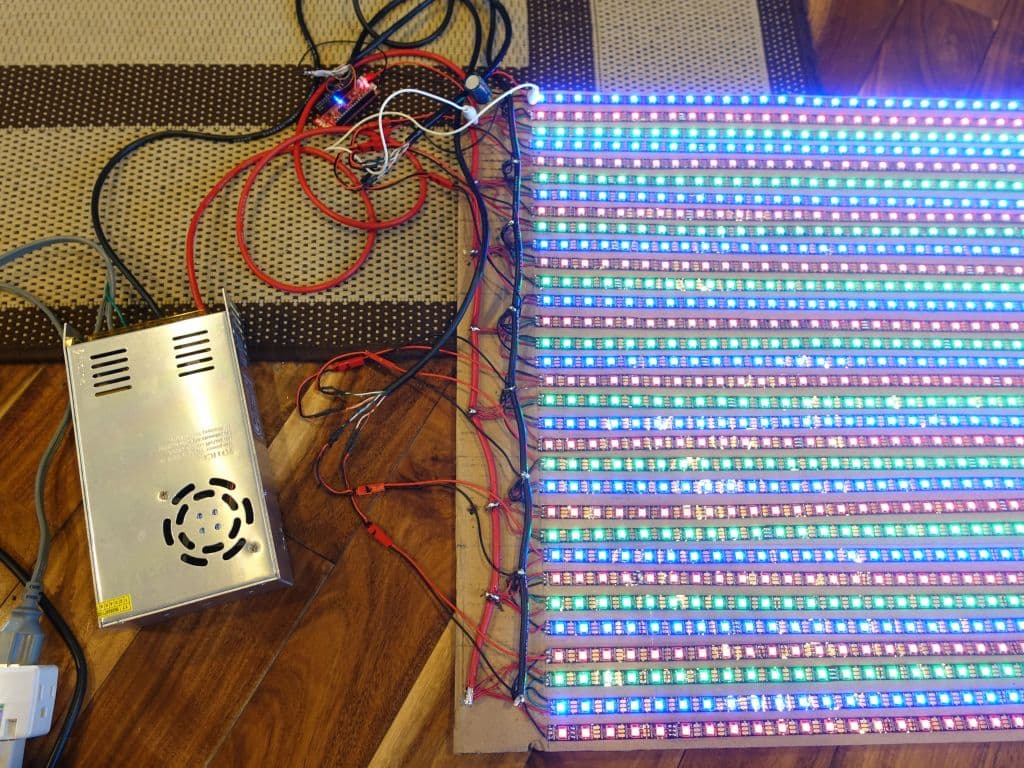
Before anyone tells me 3600 pixels is a lot, no it’s not :slight_smile:

https://www.reddit.com/r/esp32/comments/bkyeq0/20000_ws2812b_pushed_at_130fps_with_esp32_and/

and that was 7 years ago :slight_smile:

And if PB is really limited to 2k pixels or less for somewhat reasonable FPS, why does the output expander even exist, outside of easier wiring in case of a star situation, but in the case of a long single line, the pixels are faster than the PB output code it seems.

I just checked my other PB with only 1936 pixels and now see its output is also only 19fps despite 6 channels on an output expander pro which I now realize is likely useless outside of making the wiring easier.

Am I missing something?

Right, with the new led driver update the ws2812 is data rate limited and some of the benefit of going to an output expander is lost.

With a single ws2812 channel, you are roughly limited by the data rate. 800kbps / 24 bits per pixel = 33k pixels/sec.

PB generates around 48k pixels/sec on average (based on default patterns). So not an huge boost by going to an output expander. That’s due to the pattern byte code running on chip. Not as fast as native.

If you don’t mind the iteration times and pattern APIs like fastLED, you can get more FPS writing C code. By all means, feel free to go that route. PB was created to make it easier to make better LED animations, while being as fast as I can make it, and I think it succeeds at that.

On the other hand, if you want to stay in PB land, it’s fairly easy to scale up using group sync, adding more PBs to increase FPS. You can get 10X with sensor data, and 30-40X without.

I highly recommend throwing another PB at it over an expander for marginal FPS increases.

I have played around with PB to compiled code, and results are promising. I don’t have any features I can release yet, and don’t know what exactly this would look like, since it would need a compiler and wouldn’t fit inside the tiny web app embedded with PB.

If I do get something working there, you’d have the best of both worlds.

Regarding cool methods for pumping out tons of pixels, I’ve checked these out. Parallel outputs often use the I2S peripheral and require lots and lots of memory set aside for the bit patterns. Some of the other tricks using interrupts to fill smaller buffers often fail once you are doing as much as PB does all at the same time (WiFi + led data + flash writes especially). Still, I keep playing around with those methods to see how I can adapt them in a way that is solid and doesn’t take away from the rest of what PB does. It’s surprisingly tricky to get it all working together without glitches.

@wizard thanks for the info and details. Did you note the problem where the output was still very limited when I put “no leds” as output?

I totally understand my output is limited by the data rate on neopixels, but note the test I did with no led output and the test I did with an output expander and 6 outputs, and the frame rate did not really increase, when on my own code on the same ESP32, I get 110fps when I have sufficient parallel outputs. Yes, I get your point that doing massive parallel output on an ESP32 without an output expander using I2S and DMA will eventually eat RAM, but I’m willing to offload that to the output expander, except for the big problem below:

My main concern right now with the PB code is that I get 16fps only for the simplest “intro to PB code” that does almost nothing and when using the “no leds” output.

This points to some major inefficiency somewhere in the code of even having a 3600 pixel matrix and doing virtually nothing with it.
Can you replicate that on your side and see what’s going on?

While I really want to figure out the very slow fps output in the ‘no leds’ output case, which is clearly a serious problem, I want to confirm that math says
3600 pixels are line limited to around 10fps on a single chain

Is this also correct?

  1. The 2Mbit/s output expander should give around 20fps max because 2Mbit/s is really not that much faster
  2. Adding more output expanders one chip will not really help because they would all share that single 2Mbit/s shared bus

So the most I can expect on a single PB until some future version with multiple output pins, should that ever happen, is 20fps with an output expander.

But as stated above, I only get 16fps with the simplest hello world pattern and no output at all, and 11fps with and output expander instead of the expected 20fps.
@wizard I got your point/recommendation that with the current limitations of the PB software, adding PB micros is going to help more than trying to split the output on a single PB, but I hope you also got my point that a single PB should generate a lot more than 20fps with ‘no leds’ output and around 20fps with output expander in the case of 3600 pixels.

  1. do you agree?
  2. any idea why fps is so much slower than expected?
  3. is it fixable?

Thanks, Marc

Yeah, expander could double that data rate limit to 66k pixels/sec.

The chip I’m using in the v3 expanders I’ve tested up to 4.5mbps, so with a firmware update and PB support it can go higher. I ran out of time trying to get auto bandwidth detection working (I had to ship, and was hitting supply chain issues), and haven’t revisited since it would have marginal benefit currently.

There’s also the possibility of using the clock line and running 2 expander busses in parallel.

So theoretically a future PB and updated pair of expanders could do nearly 300k pixels/sec, assuming pattern calc wasn’t a bottleneck.

Try the “new pattern” rainbow, which is about as simple as it can get, and closer to a “hello world” of patterns. Getting nearly 32 FPS at 3600 pixels. FWIW, the “into” pattern is getting 15.56 FPS at 3600 pixels is 56K pixels/sec, still above the average 48K I usually mention.

While I haven’t benchmarked the suite recently, here’s some pixels per second figures for some patterns, using the current bytecode engine:

Blinkfade: 52K
Color bands: 33K
xorcery: 25K
color fade pulse: 49K
OG fast pulse 1D: 63K
fast pulse 2D: 43K

I also run a set of performance micro benchmarks to make sure I haven’t introduced something in a release, and those are normal.

If you code golf the rainbow, here’s an optimal version that can get 225K pixels/sec (62.5 FPS at 3600 pixels):

export function beforeRender(delta) {
  t1 = time(.1)
}
export function render(index, x) {
  hsv(t1 + x, 1, 1)
}
  • Use the new x coordinate parameter to render instead of index/pixelCount to avoid division
  • Inline constants to avoid unnecessary copy to variables
  • Inline hue expression

For an interesting pattern, those tiny optimizations wouldn’t make much difference, but when the only thing you are testing are like 6 ops, removing a few of them makes a difference.

Thanks for the details. So while I know nothing about how the byte code engine works behind the scenes, it sounds like getting 15-20fps for 3600 pixels is actually “normal” and I should not be alarmed (although indeed disappointed).

Is there anything at all that can be done to make it faster in a noleds output scenario when clearly it’s not a hardware limitation?

I just tested rainbow fonts, got 20fps, rainbow melt gave 15fps (both noleds). I just tried your rainbox you pasted above and can confirm I get 64fps then, but realistically the patterns I’ve downloaded give me 10 to 2fps only :-/

I also confirmed your 60fps test pattern goes down to 18fps with the output expander, so that’s really my practical limit anyway until we play new tricks like you described (increasing the 2Mbps to 4Mbps, or doing 2 boards in parallel). That said, I’ll be honest that if the rendering speed stay so slow (pretty much below 10fps for almost all patterns I tried, all the way down to 2fps on some), the hardware output speed is not the issue :-/

So back to the original question: is the bytecode interpreter running as fast as it can, and we’re just stuck with those speeds?

And to your other question about using boards in parallel, is that documented anywhere? The main docs do not explain how to configure each board and how to write mappers to tell which pixel belongs to which board, and if you have to write independent mappers for each board with the correct offset for each or if function pixelcount in mapper gets the total number of pixels across all boards, or the local number of pixels, and all that good stuff.

@wizard to avoid mixing topics, I made a separate thread on issues with syncing 2 devices

It’s worth mentioning that the overall 48K pixel/sec avg computation rate has been on the product page and in the docs (with a table of example FPS) for years. It’s indeed disappointing compared to some theoretical max in C - I’ve been there personally, and so have many prior threads on this topic here in the forums, but it’s just the current tradeoff for realtime compile.

I don’t know anyone who has succeeded getting 3600 WS281X pixels to pass signal successfully on any controller on a single channel. The data degrades due to unwanted PWM sync, high current inductance, and chained impedance effects.

500-1000 per channel is a good rule of thumb and many controllers recommend 241 for DMX compatibility

The Hackaday article you linked about 20K LEDs off an ESP32 is using 256 per channel, 80 channels. So not really a comparable benchmark for Pixelblaze +/- a 7/8-channel expander.

To maximize frame rate on 2000 pixels or less, use a clocked pixel since pixel data transmission is the bottleneck. That’s why your FPS goes up when you select no LEDs.

I am using 3600 pixels on a single PB right now, it works fine outside of the very poor refresh rate. Ironically, the refresh rate of the renderer is so slow for most patterns, and it’s not really slowed down by the LEDs (10fps even in a single chain).

Unfortunately trying to use 2 PB and splitting the display has wasted 8H of my time today in various issues, first the mapping was maddening, I have it working but I don’t know why or how and it took hours to get there, but even after that, with a confirmed master/slave setup, the 2 devices are visibly 0.5sec out of sync, so the output is useless and I reverted back to a single PB :-/

More details on the other thread

Do you mind me asking what’s the max number of pixels per channel? I’m curious because I’ve had such problems with longer runs. It looks like you might be using low power LEDs, and that’s going to take several of the common problem areas off the table.

I’m back to running 3600 pixels on a single channel and single chip since I can’t get dual chip synchro to work. LEDs are 12V, so they can sustain a voltage drop to 5V and still work. I currently run this with power re-injection in the middle but it worked without it (although I didn’t do full power white of course).

if you are doing 5V LEDs, I did a full 80A build with 4K LEDs back in 2018, I just had a power bus to re-inject power on every line (64 power injections)

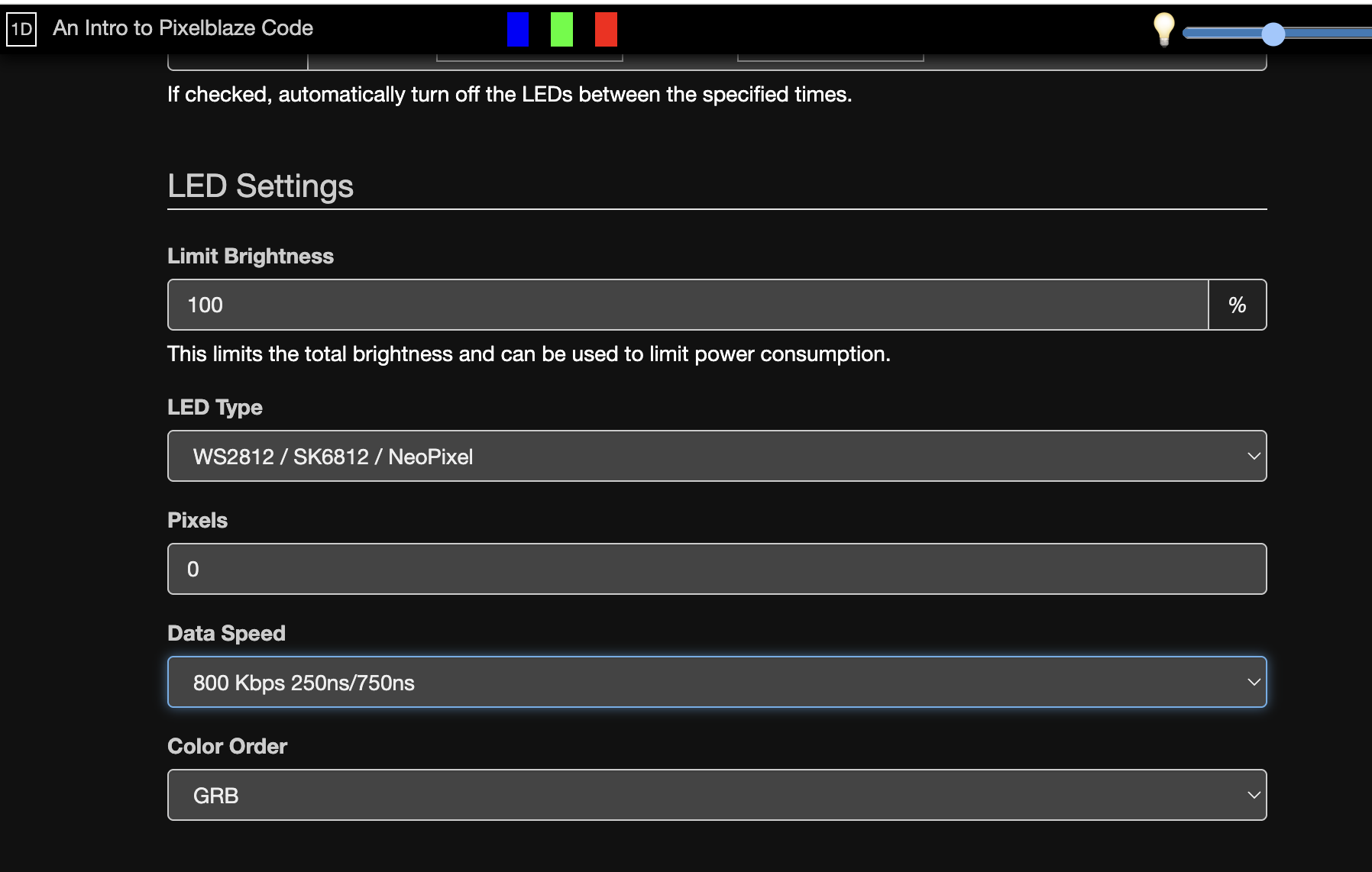
Something funny is going on though. Can you double check your settings? I’m getting 300fps for 0 LEDs on the “Intro” pattern.

I think it’s important to find out why you are only getting 16fps on the simplest of setups.

I don’t understand what you’re trying to point out. FPS goes down as you add pixels. If you put 3600 pixels in your settings, it will go down, that’s both expected and understood.

Sorry I may have misunderstood. Here is what you said:

What does “no leds” mean? I’m just trying to better understand the issue that this sticks out to me but it may be a misunderstanding on my part.

no leds means the framebuffer is not pushed to anything and therefore fps is not slowed down by the output speed of pixels connected to the device, and it’s purely limited by the rendering engine.

In the case of PB, it is indeed fairly slow due to the interpreted code, which is fine for hundreds of pixels, but not thousands.